Worked example: Joplin
This is the third real teardown, run the same way as the Bluesky example and the Expensify example: probes on an emulator, outcomes recorded in the worksheet, and every conclusion then checked against source code the app’s maker publishes.
Joplin was chosen for two reasons. It is a third kind of design. Bluesky keeps its data in memory, Expensify keeps an offline replica of a backend, and Joplin keeps the only copy on the device and syncs only if the user picks a place to sync to. On the test device no sync target was set, so the app had no backend at all. The second reason is coverage. The first two runs tried the probes most likely to matter. This run went through all 443 probes and ran every one that a single emulator allowed.
More probes meant more errors. Nine readings were contradicted by the source, and all nine are listed here with what was changed.
The result
Section titled “The result”| App | Joplin for Android, version 3.7.11 |
| Device | Android 15 emulator |
| Date | 4 October 2026 |
| Mode | Private test items only. Notes, to-dos and notebooks with the prefix TEARDOWN-TEST, moved to the app’s trash afterwards. No account was created and no sync target was set. |
| Probes run | 53, from 21 chapters |
| Probes skipped | 390, each listed with its reason in the section on skipped probes |
| Source checked | laurent22/joplin, commit e8d15e7 of 4 October 2026. Its Android build file states version 3.7.11, the version tested |
| Verdict after checking the source | Conclusions |
|---|---|
| Confirmed The code does what the probe concluded | 26 |
| Consistent The code agrees, but the full path was not traced | 16 |
| Not in the client A measurement, or a behavior the code read does not explain | 2 |
| Contradicted The reading was wrong | 9 |
Three apps, side by side
Section titled “Three apps, side by side”The same probes on three apps with three different designs.
| Probe | Bluesky | Expensify | Joplin |
|---|---|---|---|
| P7.3 Launch in airplane mode after a force-quit | Layout and placeholders, no content, no message | The full Home screen, with a line saying the app appears to be offline | The full note list. Nothing mentions the network |
| P12.1 Offline read | Visited screens only, while the app is alive | Screens never opened in that run also show their content | A note never opened on the device opens in full after a cold start |
| P12.2 Offline write | Not run, read-only | Accepted at once and drawn dimmed | Accepted at once, with no pending mark of any kind |
| P12.3 Force-quit with offline changes | Not run | Still there, still dimmed | Still there. There is nothing pending to mark |
| P4.1 Where storage grows | The cache area, by 19 MB | User data, by 2.5 MB. The cache area shrank | User data, from 4.9 MB to 14.3 MB, then 10.2 MB after a restart. The cache area hardly moved |
| P32.2 System text size | Text grows | Text does not grow | Text grows, and is cut off until the app is restarted |
| P8.6 Back after a link from a cold start | The Home feed, the target’s parent | The Account tab, the target’s parent | The note list of the last notebook used, which was not the note’s own notebook |
| P8.7 Link into a running app | Opens over the current place, back returns there | Replaces the current place, back goes to the link’s parent | Drops the screen you were on, back goes to the last note list |
| Design | Memory only, with images cached on disk | An offline replica of a backend, with an outbox | Local-first. The device holds the only copy, and sync to a target the user chooses is optional |
| Offline level, from Chapter 12 | Level 1 within one run, Level 0 across launches | Level 3, a local replica with an outbox | Level 3 behavior with no backend in use. Sync was not tested |
Joplin is the only one of the three that never says it is offline. It has no reason to. That absence is itself the signal: Chapter 54 starts from it.
What was observed
Section titled “What was observed”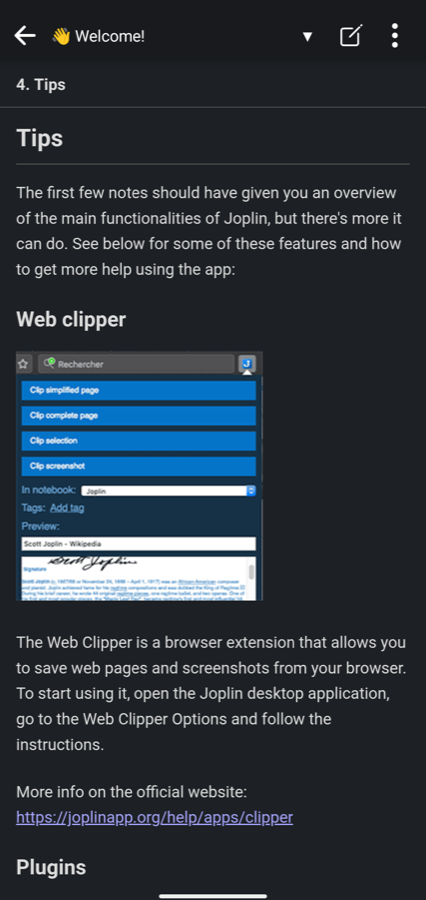
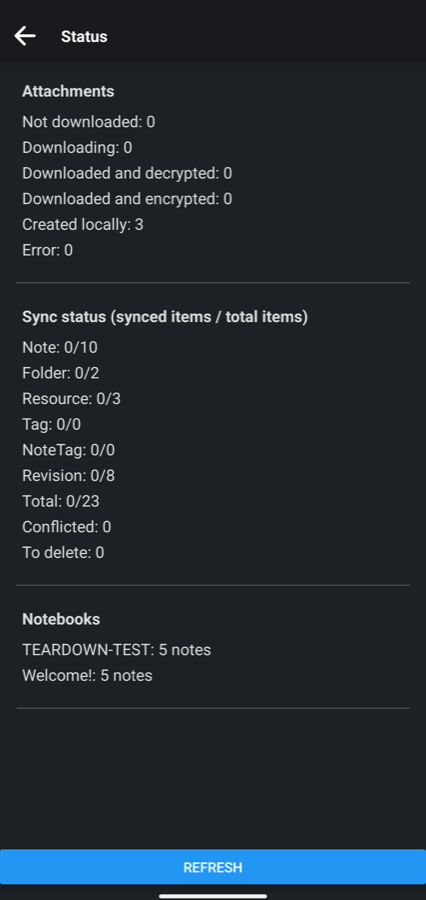
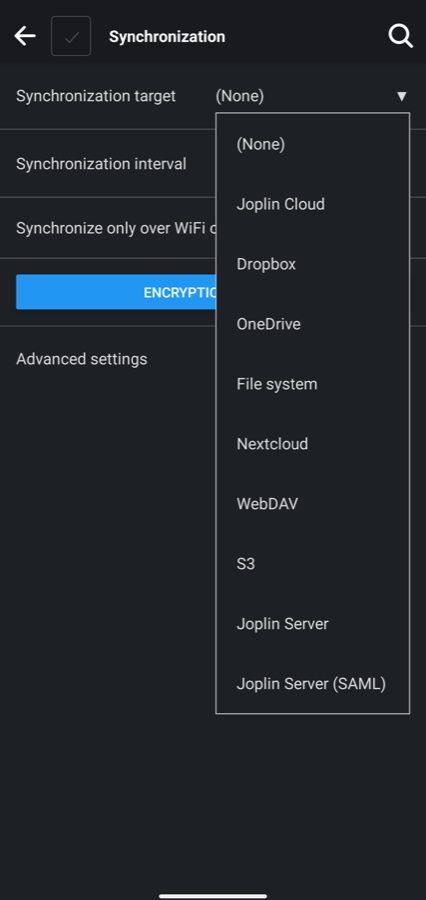
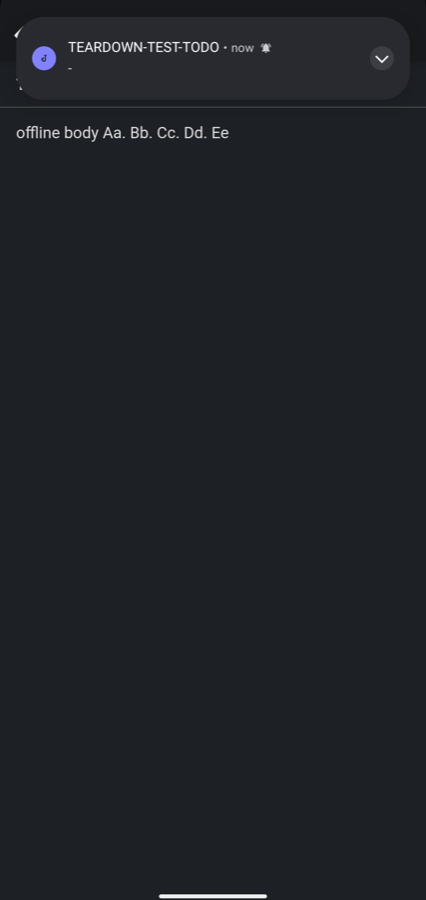
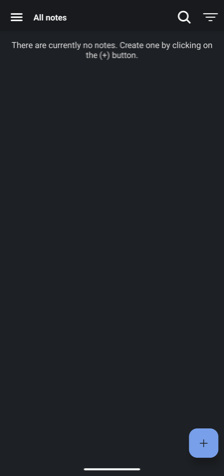
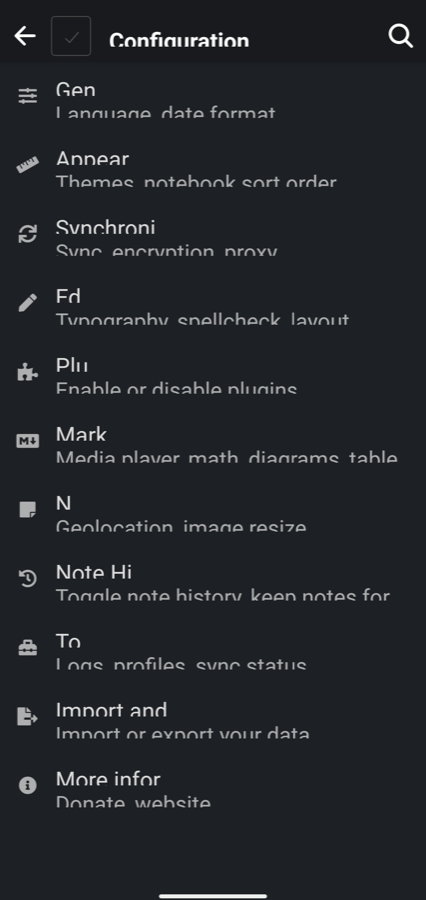
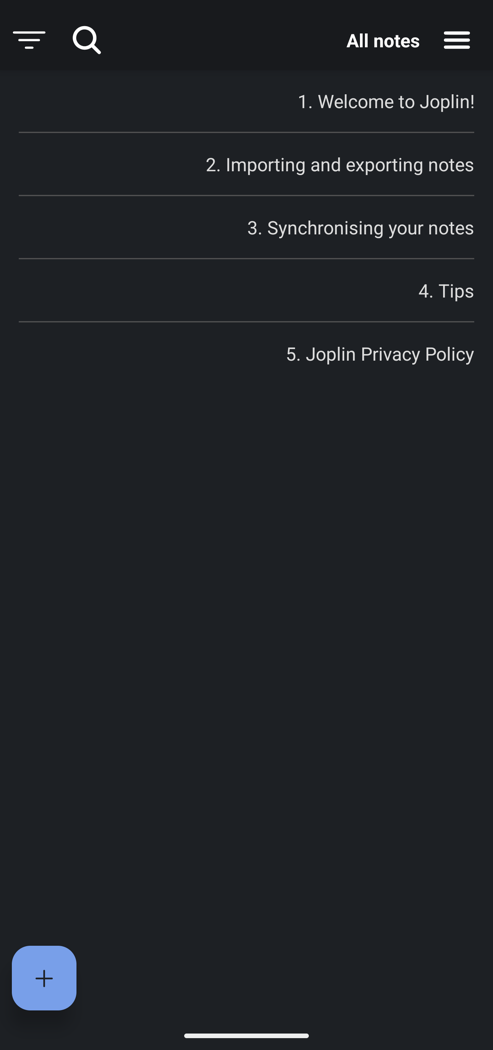

Only screenshots that show app chrome, the built-in welcome notes or test items are published.
Offline, storage and durability
Section titled “Offline, storage and durability”With no sync target, airplane mode changes nothing that a user can see. Every probe in this group gave the same answer: the data is on the device.
| Probe | What was seen | Reading | Confidence |
|---|---|---|---|
| P3.1 Offline tour | After an offline cold start, visited and unvisited notes opened, and create, edit, tick and delete all worked. Nothing mentioned the network | No backend, or a local replica that syncs later | Speculative |
| P7.3 Launch in airplane mode | The same sequence as online, ending in the full note list | Session, config and content are read from the device | Inferred |
| P11.1 Memory or disk | Notes and an embedded image shown offline before and after a force-quit | A disk cache or a local store | Inferred |
| P11.6, P12.1 Unvisited detail, offline read | A welcome note never opened on the device opened in full, with its image | The data was on the device before it was asked for | Inferred |
| P12.2 Offline write | Create, rename, tick and delete all showed at once, with no pending mark | An optimistic update | Observed |
| P12.3 Kill while pending | All four changes were still there after a force-quit, still offline | The outbox and the local change are stored durably | Inferred |
| P28.1 Search in airplane mode | A word from a note never opened found that note | An on-device index over a local replica | Inferred |
| P28.4 Misspelling | Two swapped letters found nothing. One missing letter found nothing. A prefix found the note | Exact or prefix matching | Inferred |
| P48.1 Kill while typing | Force-quit straight after typing three sentences: the last one was missing. With half a second or more before the quit, everything was kept | Edits are committed on a timer or after a pause | Inferred |
| P54.4 Kill during a write | Force-quit a second or more after typing: title and body all there, on three runs | Each change is committed as it is made | Inferred |
| P4.1 Footprint | User data grew from 4.9 MB to 14.3 MB during the run and fell to 10.2 MB after a restart. The cache figure went from 1.3 MB to 1.6 MB | A cache filled by visits | Inferred |
| P3.4 Text before media | The only images seen were inside the built-in notes, and they showed offline in the same frame as the text | All images ship inside the app | Observed |
P4.2 (launch in airplane mode) and P11.5 (no clear-cache control exists) were also recorded.
Startup, navigation and links
Section titled “Startup, navigation and links”| Probe | What was seen | Reading | Confidence |
|---|---|---|---|
| P7.1 Cold against warm | Splash at 0.5 seconds, a blank frame, the list layout with an empty-list text at 1.3 seconds, the notes at 1.5 seconds. A return to the running app took 0.6 seconds | A cold start with visible initialization | Observed |
| P7.4 Where it lands | The note list after a force-quit and after a process death, both from the note editor. The list was the notebook last selected | It does not restore the last screen, or does so only under a condition | Inferred |
| P8.3 Process death mid-task | With a note open in the editor, the process was ended. The app cold-started on the note list | Navigation state in memory only, or restored under a condition | Speculative |
| P8.2 Half a form | An unsaved notebook title survived an app switch, and was gone after leaving the form. No prompt about discarding | The input belongs to the screen | Inferred |
| P8.4 Force-quit and reopen | The note list, and the unsaved form was empty | Neither navigation state nor input is stored durably | Inferred |
| P4.3 Force-quit and reopen | The note list, and text typed into a note was there on reopening it | Text is written to the local store as you type | Inferred |
| P8.5 Link while signed in | The note’s menu copies a link with the app’s own scheme. From a force-quit, it opened the app on that note | A router maps the link to a screen | Observed |
| P8.6 Back after a link | Back led to a note list inside the app. It was the last notebook used, not the note’s own | A synthesized back stack | Inferred |
| P8.7 Link into a running app | From two levels into settings, the link opened the note. Back led to the note list. The settings screens were gone | The router replaces the navigation state | Inferred |
| P7.5 Launch from a notification | With the process ended, tapping an alarm notification opened the note list and stayed there, on two runs. With the app alive, the same tap opened the to-do | The launch target is lost on a cold start | Observed |
| P9.1, P9.2 One copy or many | A renamed note showed its new title at once in the search results, the notebook list and All notes, online and offline | One copy of the item, observed by every screen | Inferred |
| P9.6 Rotate mid-task | Typed text in an unsaved form and the scroll position in a long note both survived rotation, with no reload | Screen state is held outside the visual tree | Inferred |
Permissions, notifications and privacy
Section titled “Permissions, notifications and privacy”| Probe | What was seen | Reading | Confidence |
|---|---|---|---|
| P22.2 Deny on first request | Camera: after two refusals, a black screen with a spinner. Notifications: the alarm dialog stayed open with no message. Location: the app asked its own question first, and after a refusal the note saved without a position | The denied state has no branch | Inferred |
| P22.6 Limited photo access | Attach file opened the system’s picker with no permission prompt | A system picker | Inferred |
| P22.9 Data export path | Export all notes produced one file in six seconds and handed it to the share sheet. Nothing was shared | The export reads from one store | Inferred |
| P23.8 Scheduled notification, offline | A to-do alarm set for 22:30 fired in airplane mode, between one and three minutes late | A local notification | Inferred |
| P23.1 Notification categories | One category in the device settings, none in the app | All notifications are one kind | Inferred |
| P23.5 Act from the notification | The alarm notification has no buttons | No action set is declared | Observed |
| P21.2, P21.3 Capture and app switcher | A screenshot of the note list worked with no reaction, and the app switcher card showed the list | No capture control and no cover | Observed |
| P34.5 Report trigger | Nothing happened after a screenshot | No screenshot trigger | Observed |
| P34.1 Diagnostics setting | No control for diagnostics, crash reports or usage data in any settings section | Nothing optional is collected, or no choice is offered | Speculative |
| P54.1 Listing and settings | No account asked for. A synchronization setting with ten choices, set to None | An account of the app’s own is offered and can be skipped | Inferred |
P27.1 (no ads anywhere), P27.7 (no invitation feature), P36.3 (one switch to sync only over wireless), P35.7 (no change in battery saver) and P55.1 (one feature, the rest is settings) were also recorded.
UI technology, text and language
Section titled “UI technology, text and language”| Probe | What was seen | Reading | Confidence |
|---|---|---|---|
| P32.1 Long-press text | Inside a note, a heading and body text both selected, with handles and a menu offering a web search. Labels on the list and in settings did not select | The note viewer is embedded web content | Inferred |
| P32.5 Each screen in airplane mode | Every screen drew offline, and the note viewer drew a never-opened note completely | Web content bundled in the app | Inferred |
| P32.2 Raise the system text size | From 1.0 to 1.5, text grew on the list, settings, viewer and editor | The setting reaches every screen | Speculative |
| P37.1 Large text | With the app running, rows kept their height and text was cut off. After a restart the layouts fitted, with two labels cut short | System text styles on fixed-height layouts | Observed |
| P10.10 Language switch | The app’s own language setting changed labels at once, offline. The built-in notes stayed in English | That text is stored content | Speculative |
| P37.5 Switch the language | The system’s per-app language changed no label | The app has its own language setting | Observed |
| P37.6 Right-to-left | With the app’s own setting: Persian labels, nothing mirrored. With the system’s per-app language: everything mirrored, labels still English, and the back arrow still pointed left | Hard-coded directions remain | Observed |
| P37.8 Change the time zone | A note’s created time stayed the same after the zone moved 9.5 hours, even after reopening the note. After an app restart it had shifted by exactly 9.5 hours | The backend formats times, or the client caches formatted strings | Inferred |
P28.6 (the search screen has no filters) was also recorded.
Checked against the source
Section titled “Checked against the source”All paths are in the repository under packages/.
| Conclusion | Verdict | What the source shows |
|---|---|---|
| Content, session and startup are local (P7.3, P11.1, P11.6, P12.1, P3.1) | Confirmed | app-mobile/utils/buildStartupTasks.ts opens a database on the device through app-mobile/utils/database-driver-react-native.ts and loads folders and tags from it. No startup task waits for a response. lib/SyncTargetNone is one of the registered sync targets |
| It lands on the note list, with the last notebook selected (P7.4, P8.3) | Confirmed | The startup task named “go: initial route” reads a stored setting, notesParent, and always opens the note list screen for it. app-mobile/root.tsx saves that setting on every navigation to a list. No note screen is restored |
| Form input belongs to the screen (P8.2) | Confirmed | app-mobile/components/screens/folder.tsx keeps the title in the screen component’s own state and writes it only on save |
| A router opens a note from a link (P8.5) | Confirmed | lib/callbackUrlUtils.ts defines the link form. app-mobile/root.tsx reads the launch link at startup and listens for links while running. The manifest claims the scheme |
| Search runs on the device and matches prefixes (P28.1, P28.4) | Confirmed | lib/services/search/SearchEngine.ts keeps its own tables in the local database and queries them with a full-text match. The mobile search screen asks for wildcards to be appended, which gives prefix matching |
| Edits are committed after a short delay (P48.1, P4.3) | Confirmed | app-mobile/components/screens/Note/Note.tsx debounces editor changes by 100 ms and pushes each save through a queue created with a 500 ms interval, lib/AsyncActionQueue.ts. About 0.6 seconds of typing can be lost |
| The alarm is a local notification, with one category (P23.8, P23.1) | Confirmed | app-mobile/services/AlarmServiceDriver.android.ts hands the alarm to a native module that schedules it with the operating system. That module creates one notification channel |
| The note viewer is web content shipped in the app (P32.1, P32.5) | Confirmed | app-mobile/components/NoteBodyViewer/NoteBodyViewer.tsx renders the note in a web view, loaded from files on the device |
| The app’s own language setting wins (P37.5), and built-in notes are stored content (P10.10) | Confirmed | The locale is an app setting applied in app-mobile/root.tsx. lib/WelcomeUtils.ts creates the welcome notes as ordinary stored notes on first run, in the locale of that moment |
| Layout direction follows the device, and the back arrow is fixed (P37.6) | Confirmed | app-mobile/components/SideMenu.tsx picks its side from the platform’s right-to-left flag, which follows the device language. app-mobile/components/ScreenHeader/index.tsx uses one fixed back icon |
| Fixed-height rows under scalable text (P37.1) | Confirmed | app-mobile/components/screens/ConfigScreen/configScreenStyles.ts computes row heights from the theme’s font size, not from the scaled text |
| System picker for attachments (P22.6), export from the local store (P22.9), one data switch (P36.3) | Confirmed | app-mobile/utils/pickDocument.ts calls the system document picker. The export button writes one file and shares it. The settings metadata has one “only over WiFi” switch |
| A changed note reaches the lists at once (P9.1) | Confirmed | lib/models/Note.ts dispatches an update for the saved note, and the note list screen is connected to the shared state that lib/reducer.ts updates |
| Sync is optional and the target is the user’s choice (P54.1) | Confirmed | app-mobile/root.tsx registers the same targets the settings list shows, including None |
| Every surface current (P9.2), no stored form input or route (P8.4), optimistic writes (P12.2, P4.2) | Consistent | All follow from one local database and one shared state. The search results path was not traced. “Optimistic” fits only loosely, since the local write is final and nothing can roll it back |
| No capture control (P21.2, P21.3), no screenshot trigger (P34.5), no power-state handling (P35.7), no diagnostics control (P34.1), no ads (P27.1) | Consistent | A search of the mobile app and the shared library found no secure-window flag, no screenshot listener, no power-mode read, and no analytics, crash-report or ad package in the dependency lists. Absence in two packages is not proof for every dependency |
| No notification actions (P23.5), no invitations (P27.7), no filters (P28.6), no cache control (P11.5), one feature (P55.1), text scaling (P32.2) | Consistent | Nothing in the code read disagrees. None was traced end to end |
| Cold start timing (P7.1) | Not in the client | A measurement |
| The launch target is lost on a cold start (P7.5) | Not in the client | The behavior was seen twice. The code has a path meant to prevent it: app-mobile/utils/setupNotifications.ts asks the native module for the notification that started the app and opens its note. Why that did not happen is not explained by the code that was read |
| A synthesized back stack (P8.6) | Contradicted | Nothing is synthesized. Startup opens the ordinary start screen, and the link handler in app-mobile/root.tsx then goes to the note. The screen under the note is whatever the app would have opened on anyway |
| The router replaces the navigation state (P8.7) | Contradicted | The link handler sends one “back” and then goes to the note. It closes one screen and pushes one. It builds nothing for the target |
| Screen state survives the visual tree being rebuilt (P9.6) | Contradicted | Nothing is rebuilt. The manifest declares that the activity handles orientation and size changes itself, with a comment saying this is to stop the app being reconstructed on rotation |
| The outbox is stored durably (P12.3) | Contradicted | There is no outbox. Sync does not replay a queue of mutations. lib/models/BaseItem.ts finds what to send by comparing each item with a per-target record of what was synced, and deletions are kept in their own table. The local change is durable because the local database is the source of truth |
| Each change is committed as it is made (P54.4) | Contradicted | The same code that confirms P48.1 contradicts this. Saves are delayed by about 0.6 seconds. The probe’s own immediate-quit runs had already shown lost text |
| The backend formats times, or the client caches strings (P37.8) | Contradicted | Neither. Note.tsx formats the stored millisecond values each time the panel is drawn. There is no backend, and no cached string. The zone the formatter used did not change until the app restarted |
| The denied state has no branch (P22.2) | Contradicted | Both have a branch. The notification refusal is handled by logging and returning, which the user sees as nothing. The camera screen has a “Missing camera permission” message with a link to settings, which did not appear in this run |
| All images ship inside the app. No media delivery (P3.4) | Contradicted | True of what was seen, wrong as a statement about the app. lib/services/ResourceFetcher.ts downloads attachments from the sync target when one is set |
| A cache filled by visits (P4.1) | Contradicted | The app has no cache of fetched content on this device. What grew was user data: the database, a log database and temporary files, which buildStartupTasks.ts clears at each launch |
The nine wrong readings, and what changed
Section titled “The nine wrong readings, and what changed”Eight of the nine have the shape seen with Expensify: the behavior was recorded correctly, and the reading named one design where several fit. The ninth, P54.4, was partly the run’s fault.
1. P8.6 and P8.7 saw a screen under the link target and called it built for the target. In both, the note list under the note was the last notebook used, not the note’s own notebook. That detail was recorded, and it is exactly what separates a synthesized stack from a target pushed over the start screen. The readings did not ask for it. They now do.
2. P9.6 assumed rotation rebuilds the screen. An app can tell the operating system that it handles the change itself, and then nothing is rebuilt and nothing needs to survive. The reading now names both and says they look the same from outside.
3. P12.3 assumed every durable offline change sits in an outbox. That is the design of an app whose backend is the source of truth. A local-first app has no queue of mutations. Its local store is the truth and sync compares state. The reading now names both. This is the most important correction of the nine, because it was a blind spot in Chapter 12’s probes and not a slip in one sentence.
4. P54.4 said process death cannot lose more than the last keystroke. It can lose about half a second. The probe was recorded from the runs with a pause, in which everything survived, although the runs without a pause had lost text. The reading now tells you to repeat with an immediate quit, and to treat what is lost as the length of the save delay.
5. P37.8 offered two designs and the true one was a third. The times are formatted on the device at display time, with a zone that the app’s runtime read at launch. The reading now lists it, with the test that points to it: the “refresh” that works is a restart.
6. P22.2 read a silent failure as missing code. A branch that logs and returns looks the same as no branch. A branch that failed to show looks the same too. The reading now says only what the user can see.
7. P3.4 turned “no remote media was seen” into “no media delivery”. One device in one configuration cannot show that. The reading now says so.
8. P4.1 assumed that storage which grows was filled by browsing. Here it grew by writing. The reading now separates the two by which figure grows and by what you were doing.
One probe was run wrongly before it was run rightly. P37.6 was first run with the app’s own language setting, which changed the text and mirrored nothing. The source showed that direction follows the device’s language. A second run with the system’s per-app language mirrored the whole layout. The probe’s step now says which setting to use, and to try the app’s own as a separate run.
All of these corrections are in the chapter data.
What else the method missed
Section titled “What else the method missed”- Three things seen that no outcome describes. The empty-list text that flashes on every cold start (P7.2). A form whose only validation is a disabled save control (P21.7). A list of attachments with sizes that is not a storage screen (P36.6). They are listed as skipped, since no outcome matched.
- Two defects that are not designs. After the system’s per-app language was changed while the app was running, the app stopped responding to touch until it was force-quit. This was seen once. An alarm notification came back at each launch after its to-do was ticked. Neither was traced in the source.
- Sync, which is half of this app. With no sync target allowed, nothing was learned about conflicts, first sync, encryption or attachment download. Chapter 12’s two-device probes are where that design would show.
- The store listing. Thirteen probes read the store page or compare with other apps. The store was not opened on this device.
- The technology, again. The probes found that the note viewer is web content. They did not find that the rest is a cross-platform toolkit, which the source shows at once.
- Low coverage where it looks high. Of 443 probes, 53 ran. Most of the rest need a second device, a backend, days of waiting or a feature this app does not have. A run on one emulator cannot do better with this app.
Skipped probes
Section titled “Skipped probes”390 probes were not recorded.
Needs something one emulator does not have
Section titled “Needs something one emulator does not have”| Reason | Probes | Count |
|---|---|---|
| Needs a second device, a second account or a helper | P3.3, P7.7, P7.8, P8.9, P8.10, P21.1, P21.8, P22.1, P22.4, P22.7, P23.3, P23.4, P23.6, P23.7, P23.9, P23.10, P24.1, P24.5, P24.6, P24.10, P25.2, P25.3, P25.5, P25.7, P25.8, P27.6, P27.10, P28.2, P28.5, P28.7, P28.8, P32.7, P33.3, P33.4, P33.8, P33.9, P35.1, P35.4, P36.4, P36.8, P37.9, P54.8, P55.3, P55.4 | 44 |
| Needs hours or days of waiting | P4.4, P11.4, P22.3, P27.8, P27.9, P33.1, P34.6, P34.7, P35.2, P35.3, P35.6, P37.7, P38.6, P54.2, P54.3 | 15 |
| Needs a sync target or a second device on the same data. No sync target was set, and setting one up was not allowed | P4.5, P4.6, P9.3, P9.4, P9.7, P9.8, P9.9, P11.2, P11.3, P11.7, P11.9, P12.4, P12.5, P12.6, P12.7, P12.8, P12.9, P12.10, P12.11, P48.2, P48.3, P48.4, P48.5, P48.6, P48.7, P48.8, P54.5, P54.6, P54.7 | 29 |
| Needs a reinstall, an old version or an update | P7.10, P32.4, P38.8 | 3 |
| Needs real hardware, movement or a weak connection | P8.8, P24.2, P24.8, P25.6, P27.3, P28.3, P32.3, P32.6, P33.6, P33.7, P34.8, P35.8, P36.5, P36.7, P38.5 | 15 |
| Needs the store listing, other platforms or peer apps. The store was not opened, since it shows the device owner’s account | P21.9, P22.10, P32.9, P33.2, P34.2, P36.1, P36.2, P36.9, P37.10, P38.2, P38.7, P38.9 | 12 |
| Needs a purchase or a payment | P37.3, P38.3 | 2 |
The chapter’s subject is not in this app
Section titled “The chapter’s subject is not in this app”| Chapter | Why it does not apply to this app on this device | Probes | Count |
|---|---|---|---|
| 10 | No backend API in use: no sync target is set, so no screen is fetched | P10.1 to P10.9 | 9 |
| 13 | No network screens: with no sync target the app makes no request a user can watch | P13.1, P13.2, P13.3, P13.4, P13.5, P13.6, P13.8, P13.9 | 8 |
| 14 | No real-time feature | P14.1 to P14.10 | 10 |
| 15 | No paged or ranked feed, and the note list was too short to show paging | P15.1 to P15.10 | 10 |
| 16 | No remote images | P16.1 to P16.10 | 10 |
| 17 | No audio or video streaming | P17.1 to P17.10 | 10 |
| 18 | No upload or download without a sync target | P18.1 to P18.10 | 10 |
| 19 | No calls or live streams | P19.1 to P19.10 | 10 |
| 20 | No account, session or sign-in | P20.1 to P20.10 | 10 |
| 26 | No purchases or paywall | P26.1 to P26.9 | 9 |
| 29 | The only smart feature is voice typing, which needs a model download and speech | P29.1 to P29.9 | 9 |
| 30 | No account to compare variants on, and no second install | P30.1 to P30.8 | 8 |
| 31 | No backend-composed screen | P31.1 to P31.9 | 9 |
| 39 | Not a messaging app | P39.1 to P39.9 | 9 |
| 40 | Not a social feed | P40.1 to P40.8 | 8 |
| 41 | Not a short-video app | P41.1 to P41.8 | 8 |
| 42 | Not a music or podcast app | P42.1 to P42.7 | 7 |
| 43 | Not a shopping app | P43.1 to P43.7 | 7 |
| 44 | Not a ride-hailing app | P44.1 to P44.8 | 8 |
| 45 | Not a booking app | P45.1 to P45.8 | 8 |
| 46 | Not a banking app | P46.1 to P46.8 | 8 |
| 47 | Not a maps app | P47.1 to P47.8 | 8 |
| 49 | Not a meetings app | P49.1 to P49.8 | 8 |
| 50 | Not an assistant app | P50.1 to P50.8 | 8 |
| 51 | Not a fitness app | P51.1 to P51.8 | 8 |
| 52 | Not a game | P52.1 to P52.8 | 8 |
| 53 | Not a super app | P53.1 to P53.8 | 8 |
Single probes
Section titled “Single probes”| Probe | Reason |
|---|---|
| P3.2 | No sync target is set, and setting one up was not allowed |
| P7.2 | Run, no outcome matched: after the splash the list layout showed the empty-list text for a frame, then the notes. That is neither a held splash nor placeholders |
| P7.6 | A device restart was avoided, to keep the emulator session |
| P7.9 | No update was pending |
| P8.1 | The app has no tabs |
| P9.5 | No refresh control anywhere in the app |
| P11.8, P21.6 | No account, so no sign-out |
| P13.7 | Nothing to adapt: no remote media and no fetching |
| P21.4 | No account-level sensitive action |
| P21.5 | No one-time codes |
| P21.7 | Run, no outcome matched: the only form with a rule disables its save control for an empty title and shows no message. A duplicate notebook name was accepted |
| P22.5, P24.3 | Would store a device position in a note |
| P22.8 | No account exists to delete |
| P23.2 | Needs the microphone or a long export to produce long-running work |
| P24.4 | Run, no outcome matched: location is optional metadata on a note. With it denied the note saves without a position and nothing else changes |
| P24.7 | Needs thirty minutes of hardware use and hours of waiting |
| P24.9 | Needs a camera pointed at a real document |
| P25.1 | The app has no home-screen widget |
| P25.4 | Not run as written: a share was sent to the app with a device command and not through the share sheet. It opened the app on a new note |
| P27.2, P27.4, P27.5 | No ads to look for |
| P28.9 | The search box has no voice input |
| P32.8 | The note viewer has no sign-in or website parts to test a seam with |
| P33.5 | Installed the same day at the current version, so no newer version existed |
| P34.3 | The first launch on this device was not observed |
| P34.4 | No feedback form in the app |
| P35.5 | Needs a list of more than a hundred items with images |
| P36.6 | Run, no outcome matched: there is a list of attachments with sizes and a delete control each, which is neither a storage screen by kind nor a single clear control |
| P37.2 | Needs a person working the screen reader by gesture |
| P37.4 | Motion cannot be judged from still captures |
| P38.1 | Could not finish: the licences entry opens the device browser, which wanted its own terms accepted first |
| P38.4 | One area only, so nothing to compare |
| P55.2 | One feature only, covered by the Chapter 12 probes |
| P55.5 | One feature only, covered by P9.2 |
Run it yourself
Section titled “Run it yourself”The recorded teardown is in the repository under teardowns/joplin/.
npm run teardown -- net.cozic.joplin